 ais · AI Sessions
All conversations.
One entry point.
ais finds every saved session of your AI coding CLIs, shows them by project with status, model and last message, and resumes any of them in its own client and folder — in one keystroke.
- Claude Code
- Codex
- Gemini CLI
- agy
- OMP
- Pi
Picks the build for your OS and CPU, verifies its SHA-256 and installs to ~/.local/bin. Then just run ais.
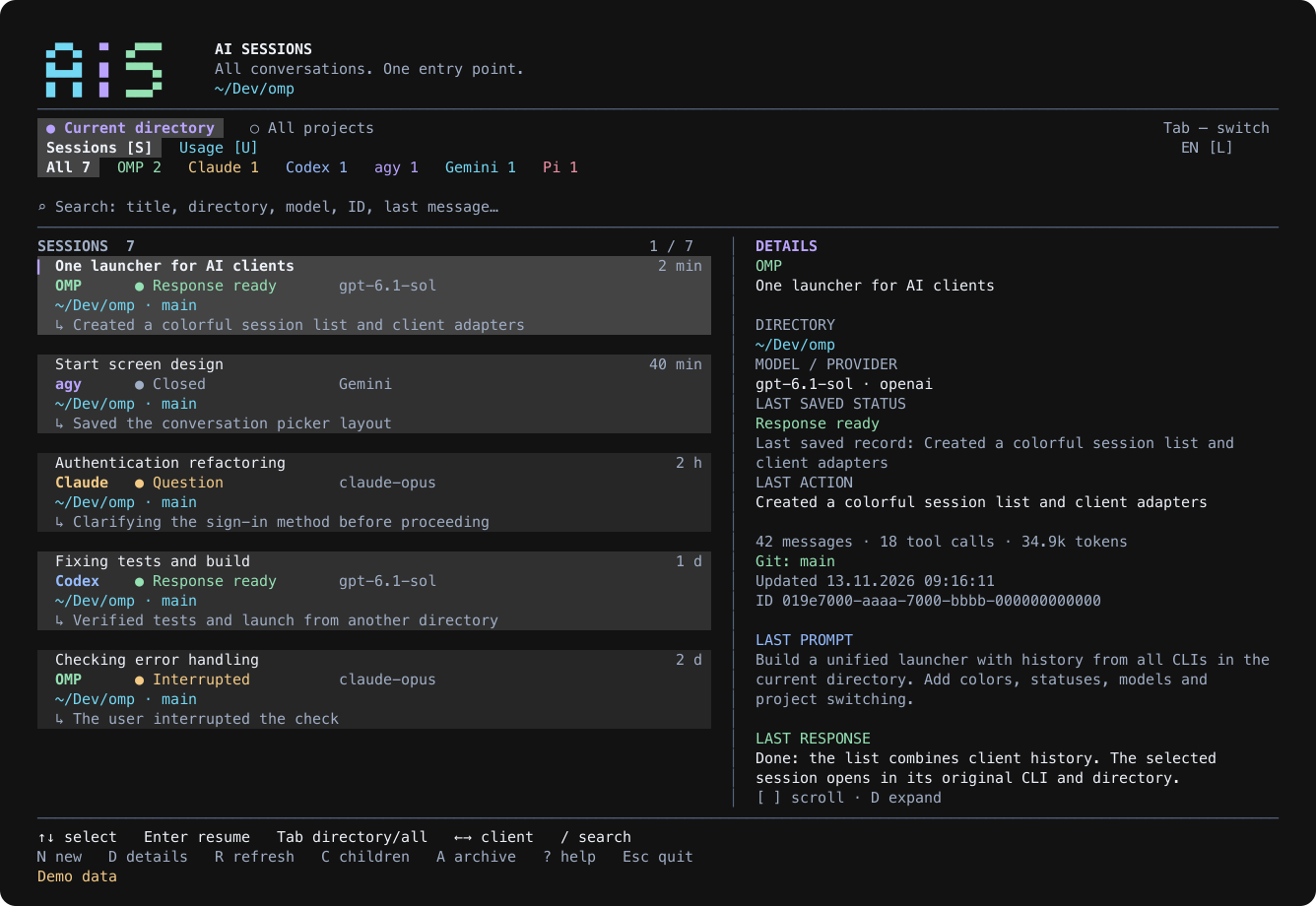
Everything you said to an AI, one keystroke away
Read-only, local, fast. ais never edits client history and never sends it anywhere.
Projects first
Folders with sessions ordered by last activity, as a flat list or a nested tree. Enter drills in; Backspace goes back.
Resume where it was
Enter starts the original CLI with its native resume flag in the session's own directory, then returns you to the list.
Search that understands you
Words, -exclusions and filters: client:, model:, status:, branch:, dir:, since:3d, is:pinned — with highlighted matches.
5h and weekly limits
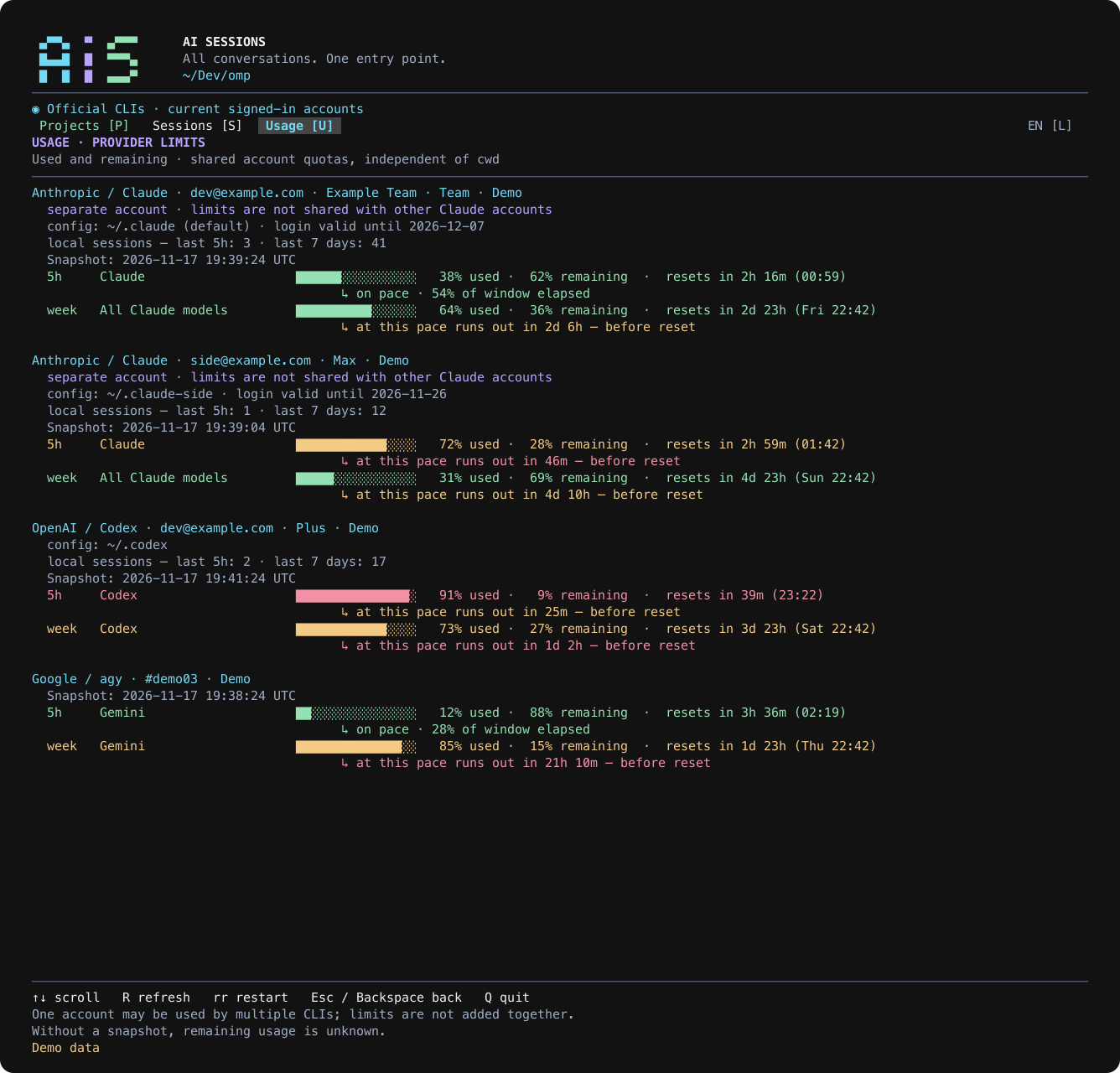
Usage per account from the official CLIs — Claude, Codex, agy — with reset times and a pace forecast. Plus DeepSeek balance.
Updates itself, safely
Once a day ais checks an Ed25519-signed release manifest and swaps in the new binary only after its SHA-256 matches.
One small binary
Rust, ~6 MB, no runtime. macOS (Apple Silicon, Intel), static Linux (x86_64, arm64) and Windows x64. English, Russian, French.
Know your limits before they hit
Press U. Every signed-in account gets its own block: plan, config dirs, local activity, used and remaining for each window, when it resets, and whether the current pace will run out first. Two Claude logins stay two blocks; one login in two folders is shown once.
Keys
Downloads
Prefer a manual install? Grab the binary for your platform from the latest release, or build it with cargo install --path ais-cli.